
Download Windows Movie Maker – Free, Easy‑to‑Use Video Editing Software for Windows
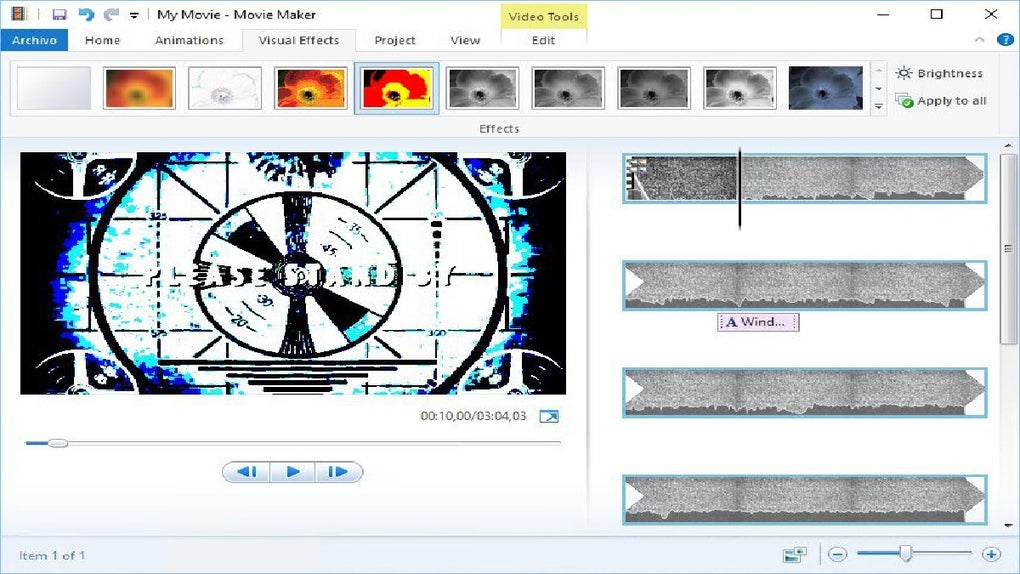
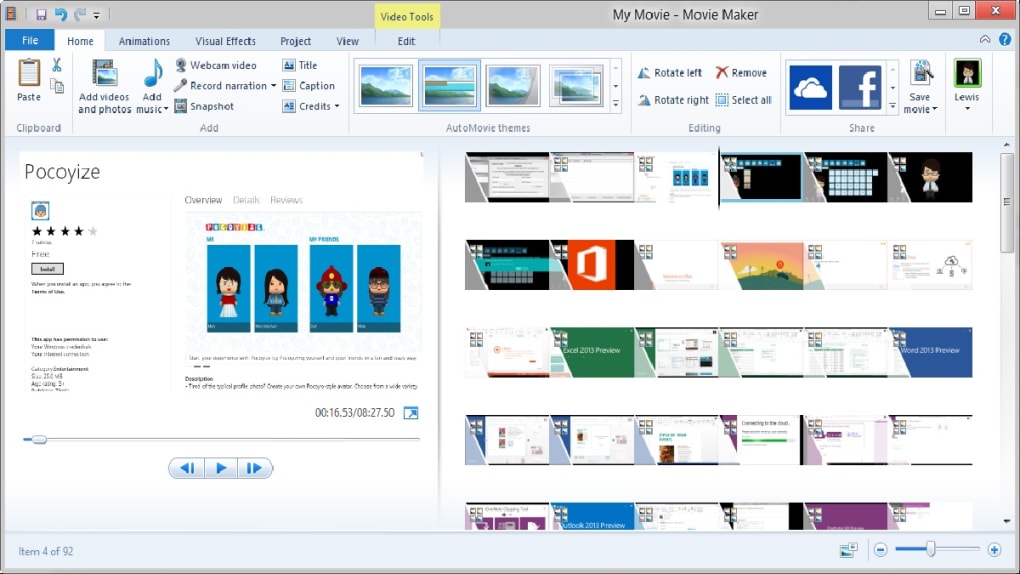
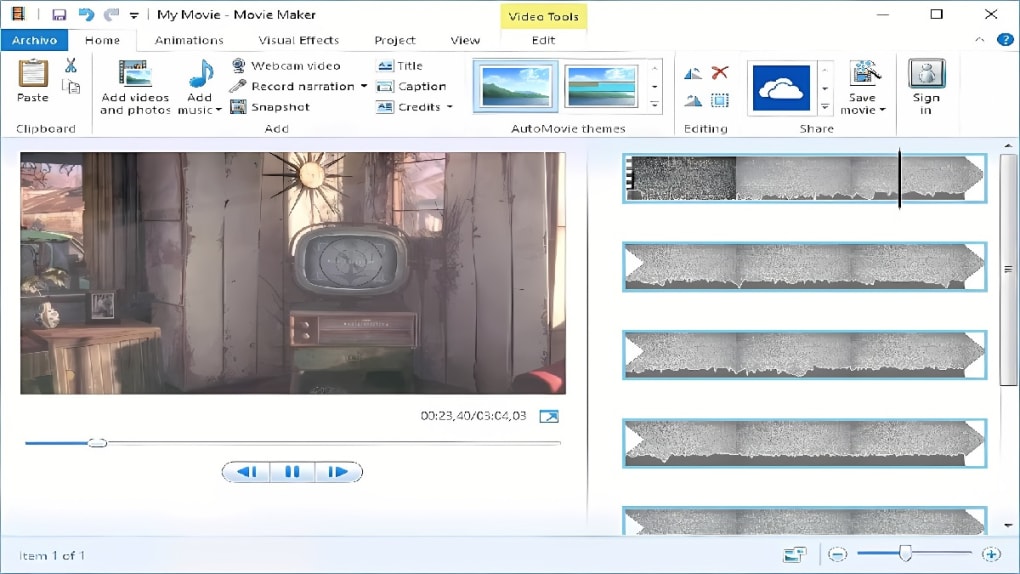
Windows Movie Maker is a free video editor built especially for Microsoft Windows users. Designed with a clean, ribbon‑based interface, the tool lets beginners and casual creators stitch together clips, add music, apply transitions, and export movies for social media or DVD without a steep learning curve. While it doesn’t rival professional suites like Adobe Premiere Pro, its simplicity, built‑in effects library, and seamless integration with Windows make it a solid choice for anyone who wants to produce a polished video quickly and securely.
Key Features That Make Windows Movie Maker Stand Out
- Ribbon Interface: All tools—transitions, effects, captions, and audio adjustments—are organized in a familiar Microsoft Office‑style ribbon.
- Drag‑and‑Drop Timeline: Arrange clips, split segments, and apply effects with a simple drag‑and‑drop workflow.
- Built‑In Transitions & Effects: Over 20 transition styles and dozens of visual effects can be previewed instantly.
- Audio Controls: Adjust overall volume, fade in/out, and edit specific audio sections directly on the waveform.
- Integrated Music Libraries: Access royalty‑free tracks from Vimeo, Free Music Archive, and AudioMicro without leaving the app.
- Hardware Acceleration: Leverages your GPU to speed up rendering and exporting, reducing wait times.
- One‑Click Publishing: Export directly to YouTube, Facebook, Vimeo, or save to local storage and burn to DVD.
- Free Updates: Microsoft periodically releases security patches and minor feature enhancements at no cost.
Installation, Setup, and Compatibility
How to Download and Install
Downloading Windows Movie Maker is straightforward. Visit the official Microsoft Store or the legacy download page for the 2012 version, click the “Download” button, and run the installer. The wizard guides you through the standard steps: accept the license agreement, choose an installation folder (default is C:\Program Files\Windows Movie Maker), and let the program copy files. A quick restart may be required to register the necessary codecs.
System Requirements & Operating System Support
Windows Movie Maker runs on Windows 7, Windows 8, Windows 8.1, and Windows 10/11 (both 32‑bit and 64‑bit). Minimum hardware specs include a 1 GHz processor, 2 GB RAM, and 500 MB of free disk space. For optimal performance, especially when working with HD (1080p) footage, a dual‑core CPU, 4 GB RAM, and a dedicated graphics card are recommended.
First‑Run Configuration
When you launch the app for the first time, you’ll be greeted by a welcome screen that offers a short tutorial. You can skip it or follow the guided steps to learn how to import media, use the preview window, and export your first movie. The program automatically creates a “My Movies” folder in your Documents library for easy access to saved projects.
Pros, Cons, and Frequently Asked Questions
What Users Love About Windows Movie Maker
- Completely free with no hidden subscription fees.
- Intuitive ribbon layout that feels familiar to anyone who has used Microsoft Office.
- Quick learning curve—most users can create a simple video in under 30 minutes.
- Seamless export to popular platforms without third‑party tools.
- Lightweight footprint; it runs smoothly on older hardware.
Areas Where the App Falls Short
- Lacks advanced color grading, multi‑camera editing, and keyframe animation.
- No native support for 4K video; users must upscale manually.
- Limited library of premium effects compared to paid editors.
- Project files are saved in a proprietary format that isn’t easily transferred to other editors.
- Updates have become sporadic; newer Windows versions may require compatibility tweaks.
Frequently Asked Questions
Is Windows Movie Maker still supported by Microsoft?
Microsoft officially discontinued the original Windows Movie Maker in 2017, but the 2012 version remains available for download from the Microsoft Store and receives occasional security updates.
Can I edit 4K video with Windows Movie Maker?
The app can import 4K footage, but it will downscale to 1080p during export. For true 4K editing, a professional editor is recommended.
Is there a way to add subtitles automatically?
Windows Movie Maker does not include an automatic subtitle generator. You can manually add text boxes to each clip, but for bulk subtitle import you’ll need a third‑party tool.
Can I use Windows Movie Maker on a Mac?
No, the application is Windows‑only. macOS users can run it through a virtual machine or use Apple’s iMovie as a native alternative.
How do I share a finished video directly to YouTube?
After finishing your edit, click the “Publish” button in the ribbon, choose “YouTube,” sign in with your Google account, add a title and description, then hit “Upload.” The video is processed using Windows Movie Maker’s built‑in hardware acceleration.
Conclusion & Call to Action
Windows Movie Maker remains a solid entry point for anyone who wants to dip their toes into video editing without spending a dime. Its free price tag, straightforward ribbon layout, and one‑click publishing options make it especially appealing for students, hobbyists, and small‑business owners creating marketing clips. While power users will eventually outgrow the limited effect library and lack of 4K support, the program still delivers reliable performance for basic projects such as family slideshows, event recaps, and social‑media teasers. If you’re looking for a secure, lightweight tool that gets the job done quickly, downloading Windows Movie Maker today is a sensible first step.
Ready to start editing? Click the download button below, install the software, and unleash your creativity with a free, Windows‑native video editor.
- Pros: Free, easy UI, fast export, direct social sharing.
- Cons: No 4K, limited advanced effects, Windows‑only.







